You can now transfer calls from the mobile app to staff members who don't have a personal phone number.
How to use this?
- Make a regular call from the mobile app (outbound or inbound)
- In the active call, tap the transfer call icon at the top right corner
- Go to the Staff Members tab and choose the staff member you want to transfer the call to. Device types they can receive the transferred call on are shown next to their name
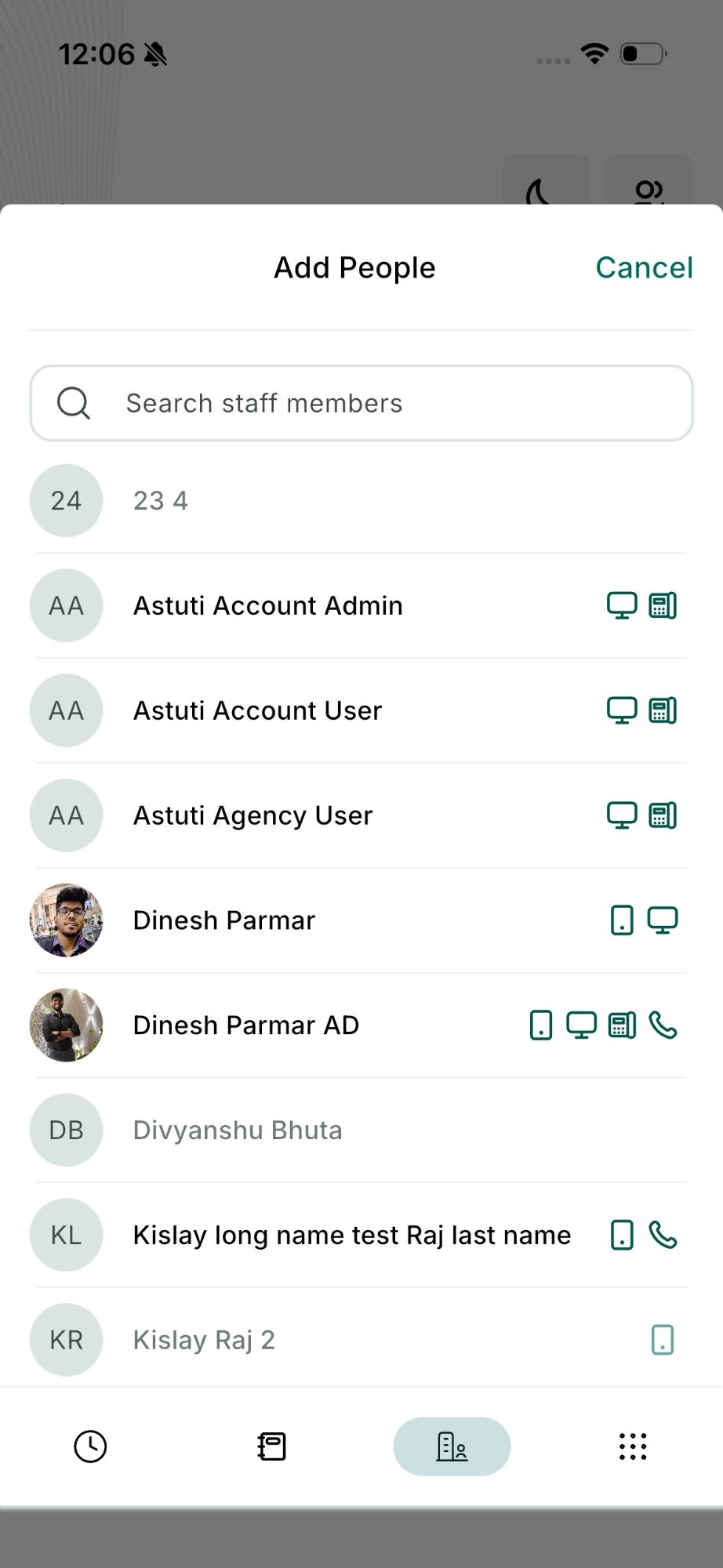
- Tap Call and Hold for a warm transfer, or Transfer and End for a blind transfer
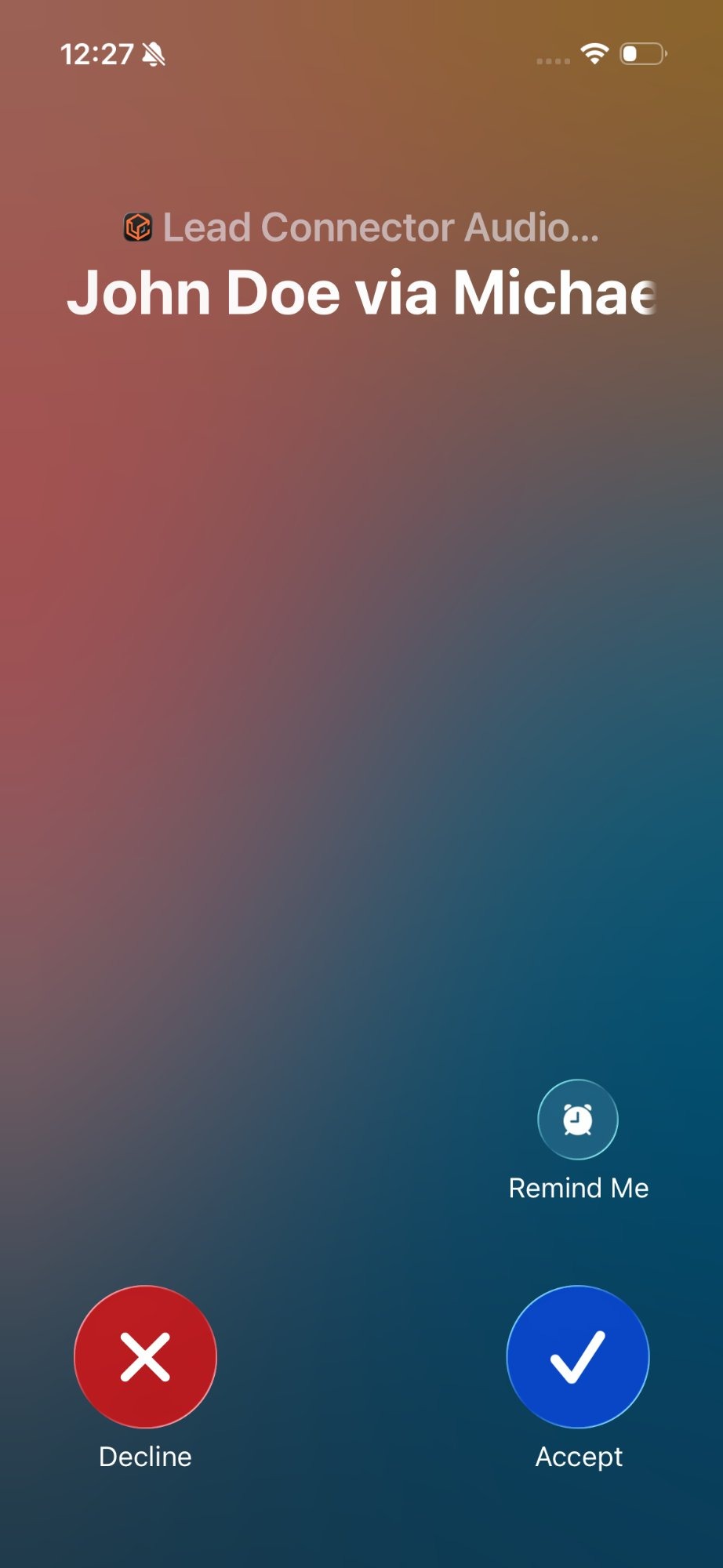
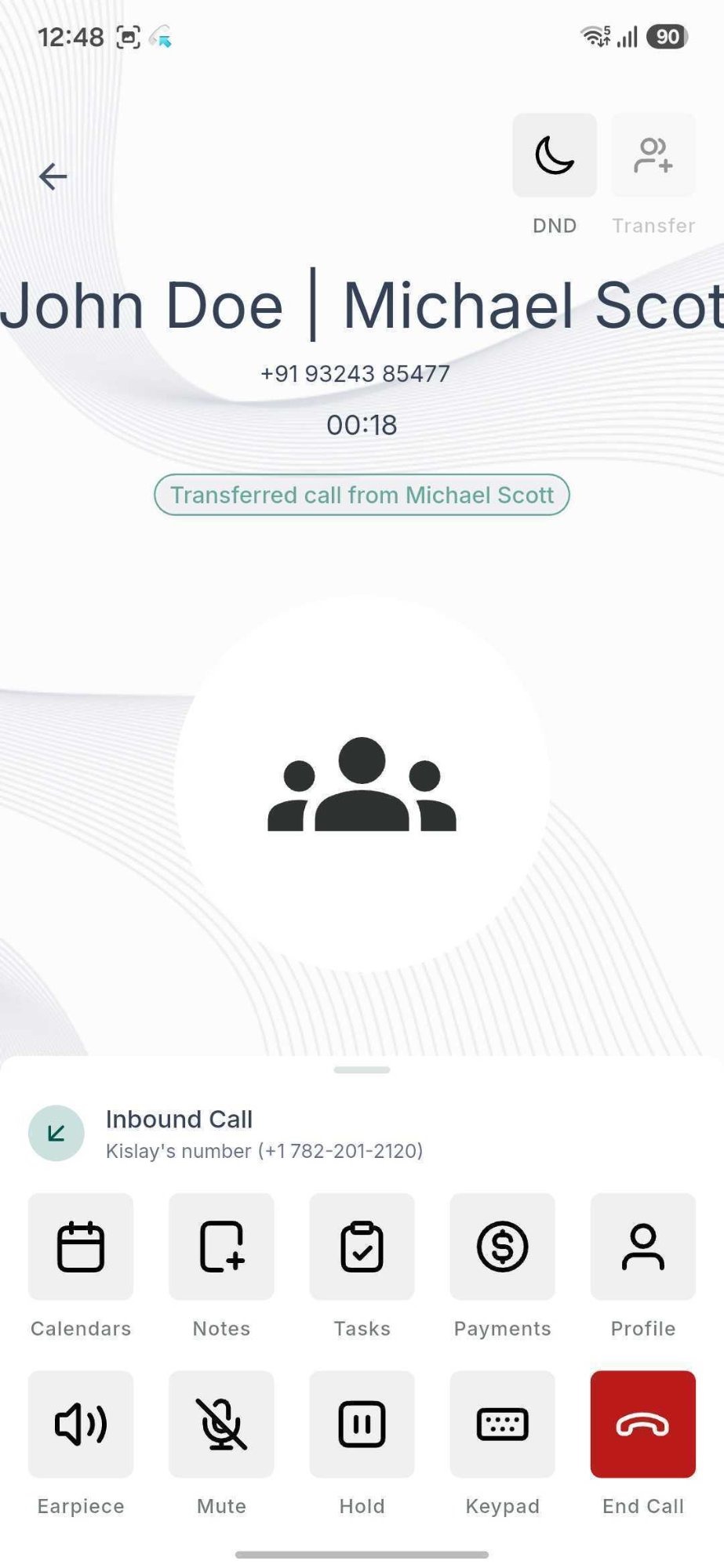
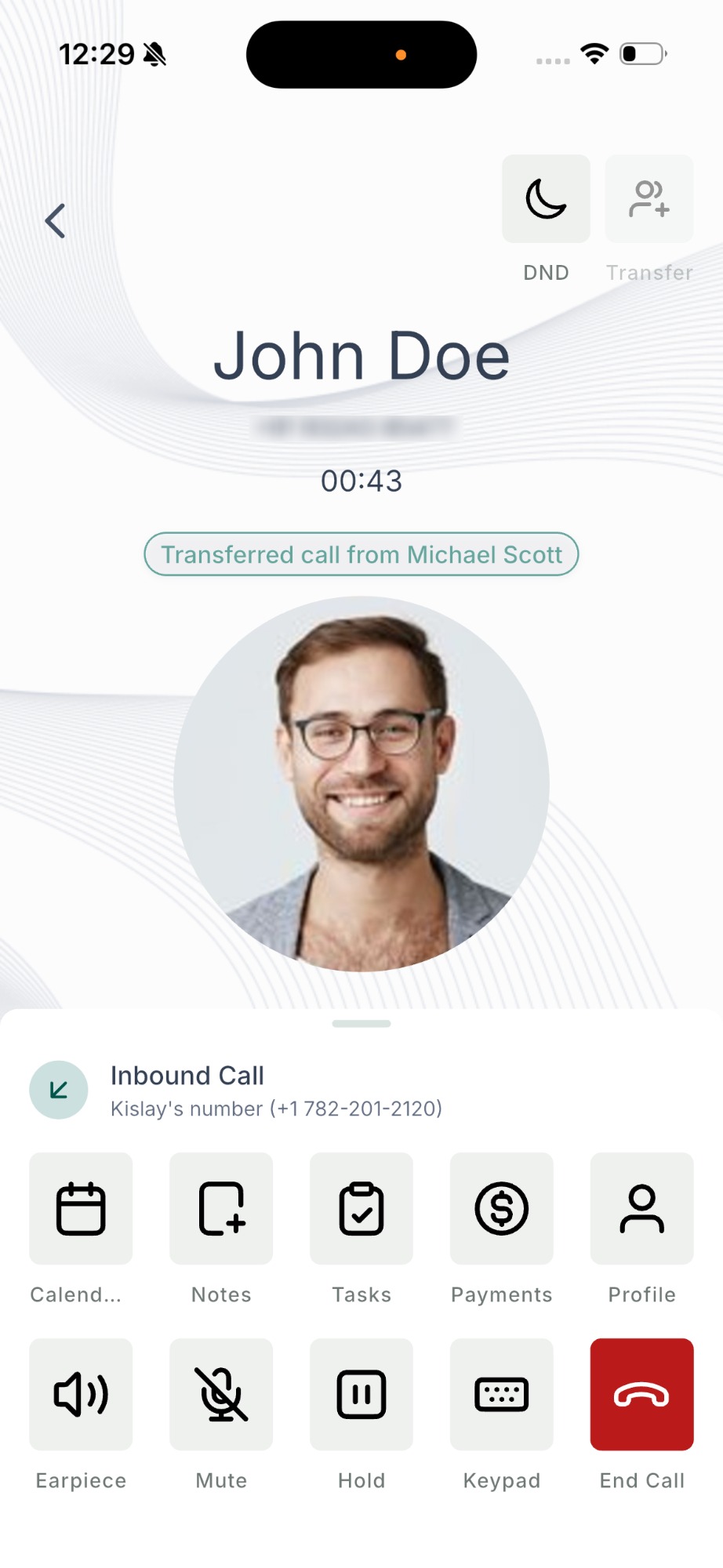
- The staff member receiving the transferred call can see that it's a transferred call, along with who transferred it. On iOS, the incoming call banner shows the contact name followed by "via" and the name of the staff member who transferred it — for example, John Doe via Michael Scott.
On Android, the incoming call screen shows Transferred call from Michael Scott
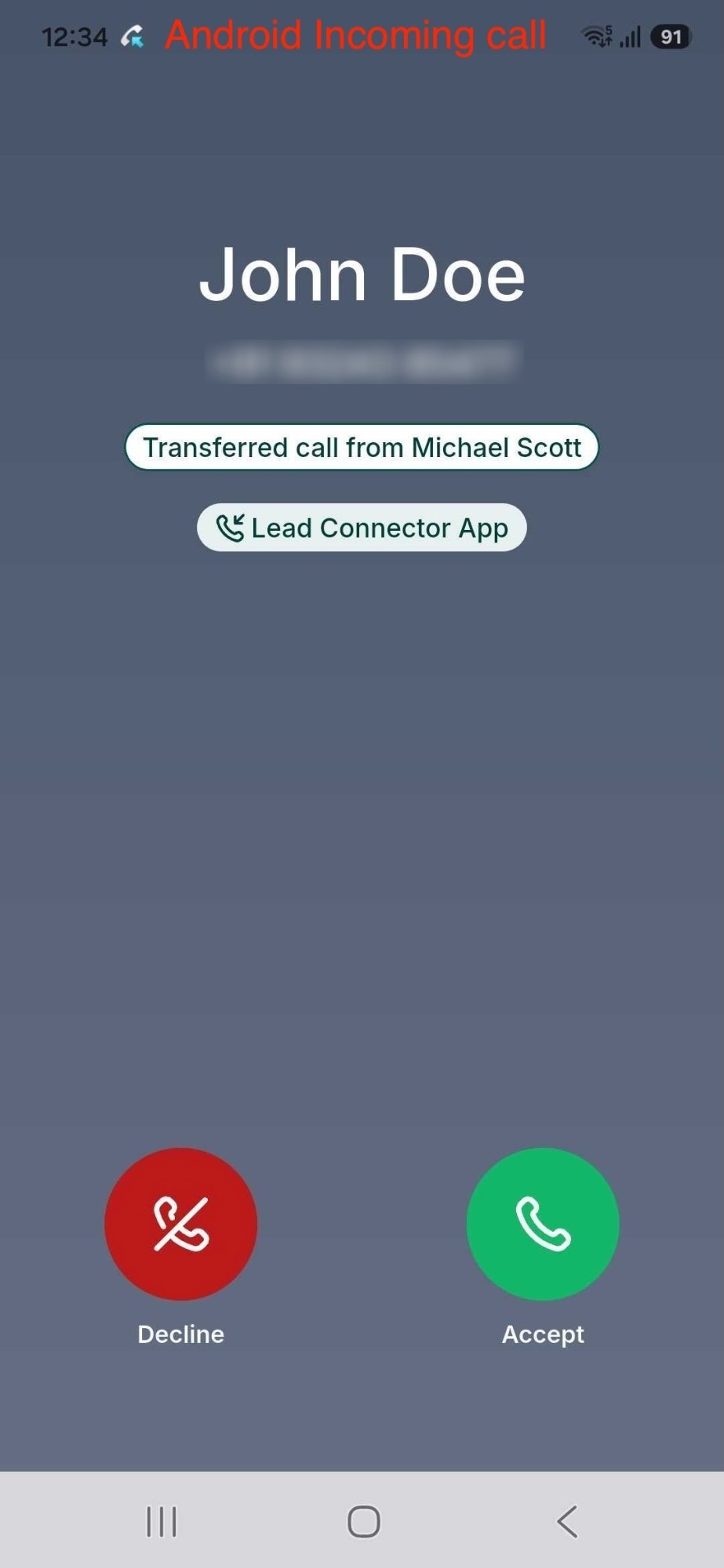
- They tap Answer
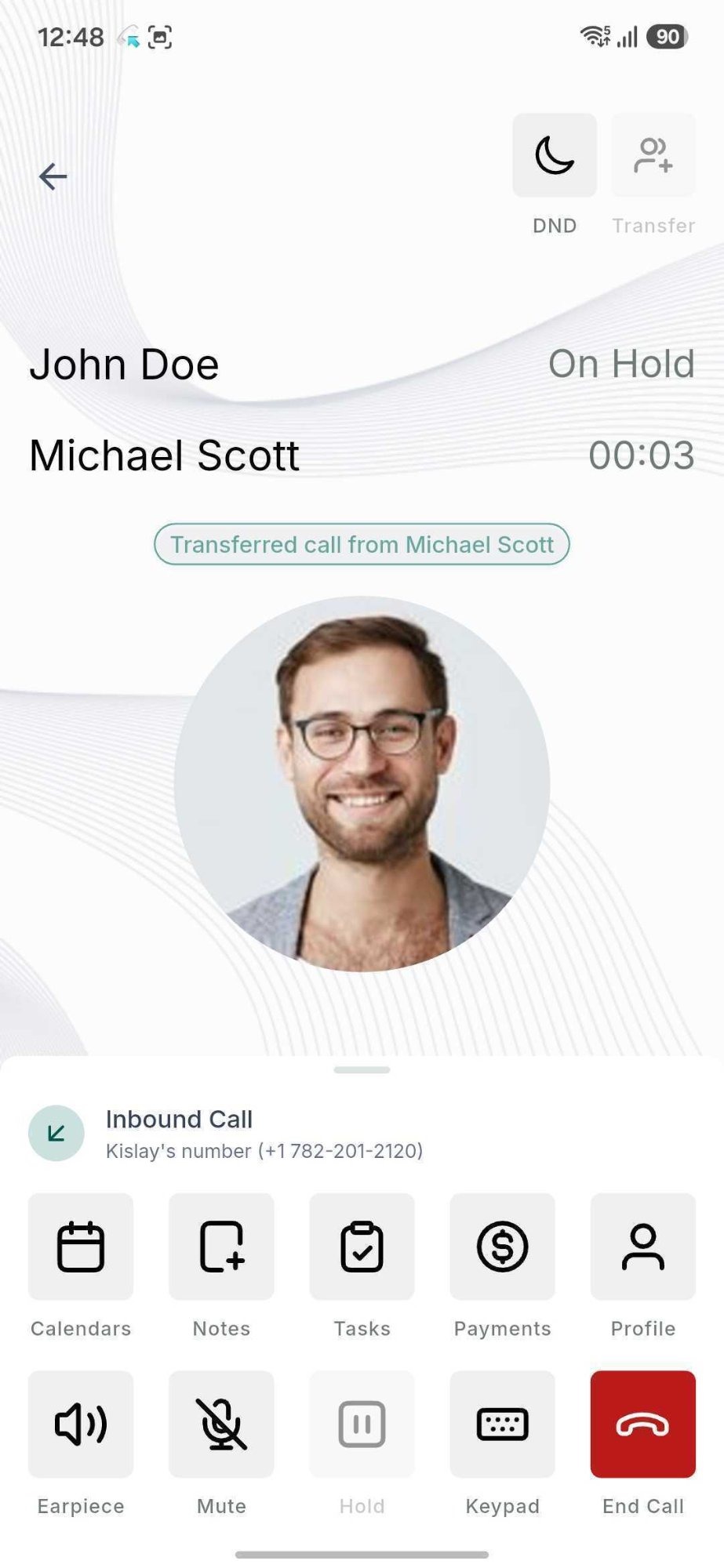
- The warm transfer can be executed as usual
Key points
- Works for both warm and blind transfers
- Works for both outbound and inbound calls
- The mobile app now works as both transfer source and destination
- Re-transferring a call (transferring a call that was already transferred to you) isn't supported yet
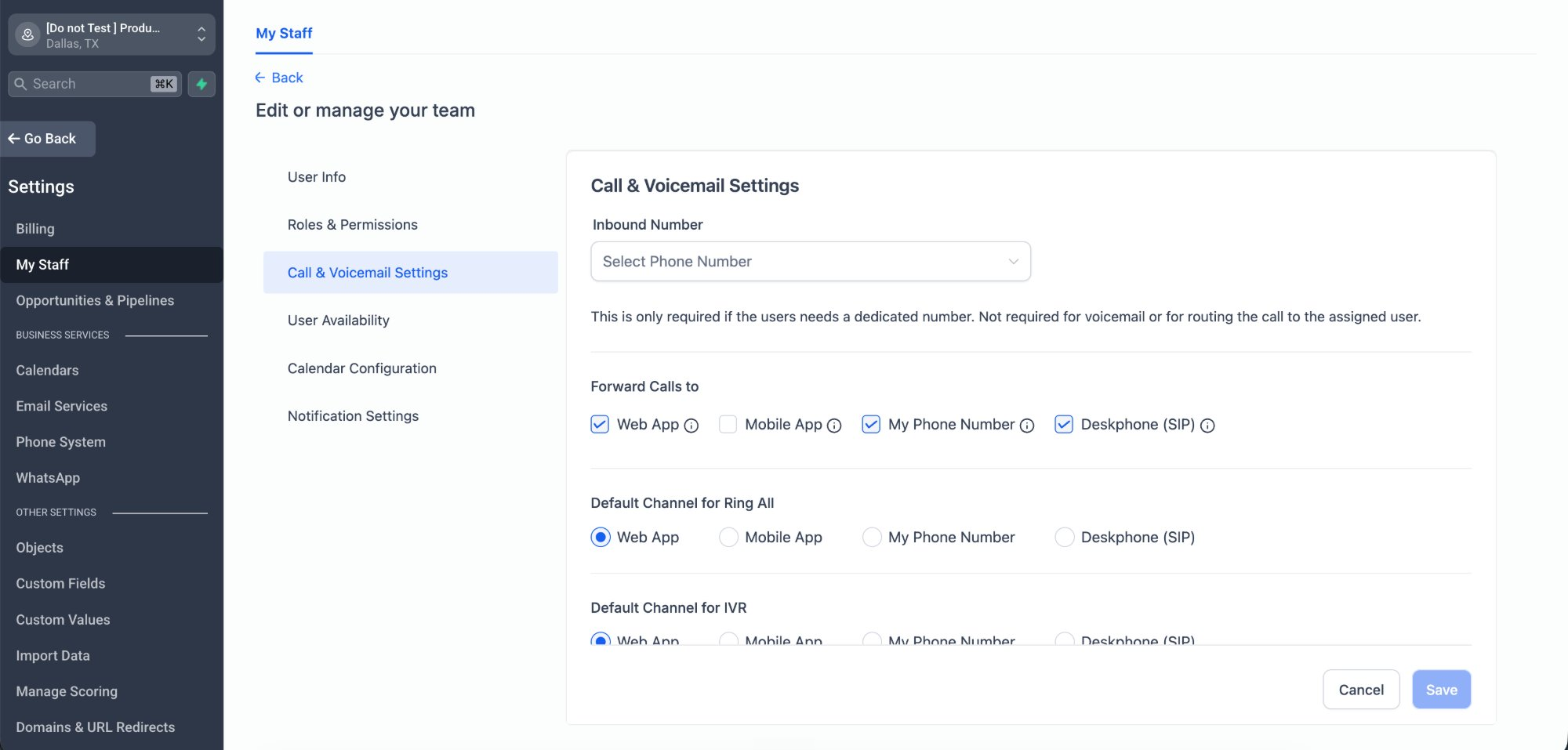
- Transfers ring every device the staff member has set under "Forward calls to" at the same time: Web App, Mobile App, Phone, and SIP desk phone
- Staff members with no device configured appear as disabled in the transfer list
How to start using this via Labs?
- Go to account settings > Labs > Account
- Find "Transfer calls to any device a teammate uses" and click on "Activate Feature"
- Select the accounts you want, then use Bulk Actions > Enable Access
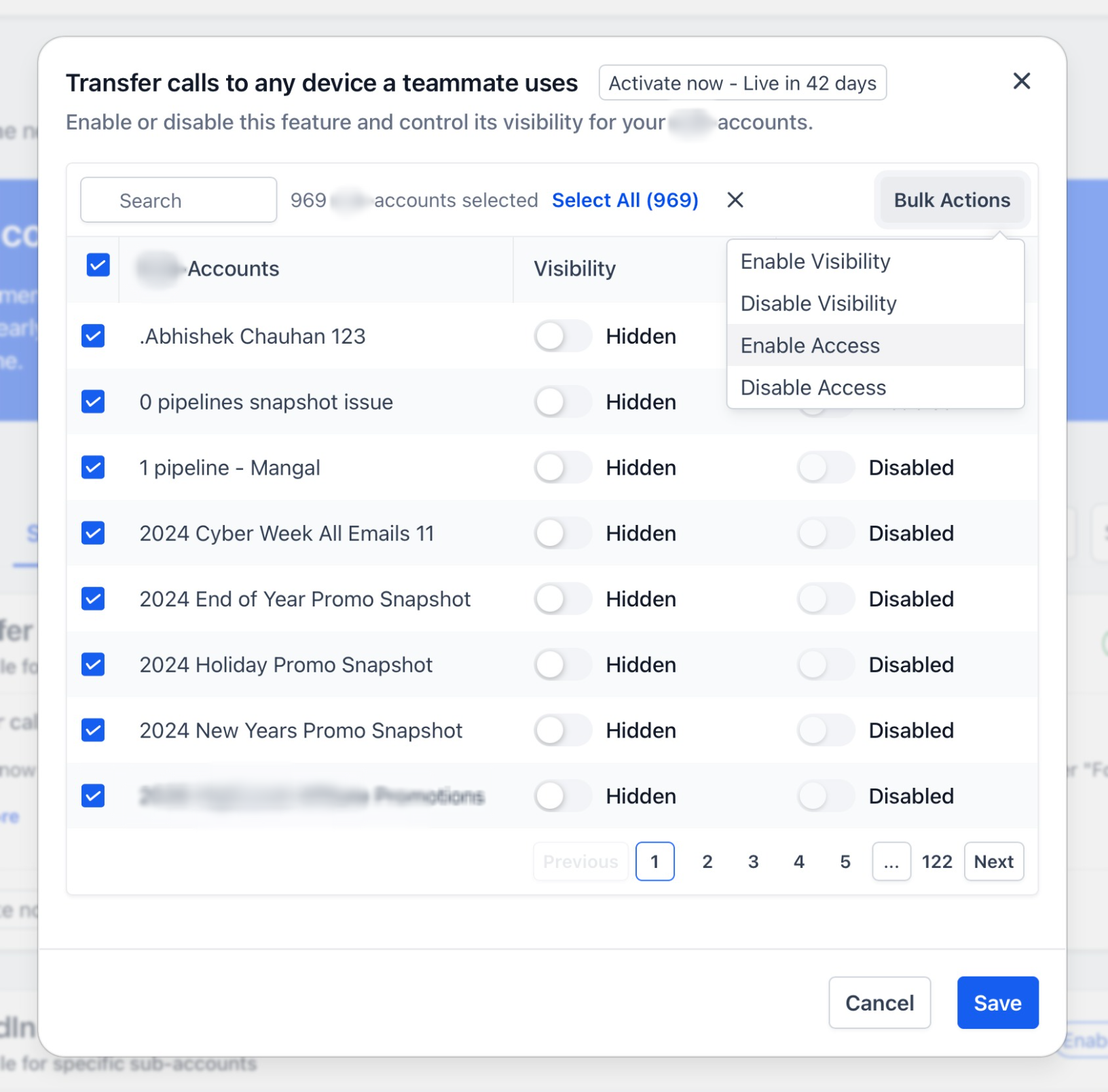
- Click save
Was this article helpful?
That’s Great!
Thank you for your feedback
Sorry! We couldn't be helpful
Thank you for your feedback
Feedback sent
We appreciate your effort and will try to fix the article