We’ve introduced a new setting to
control service image visibility on the booking page
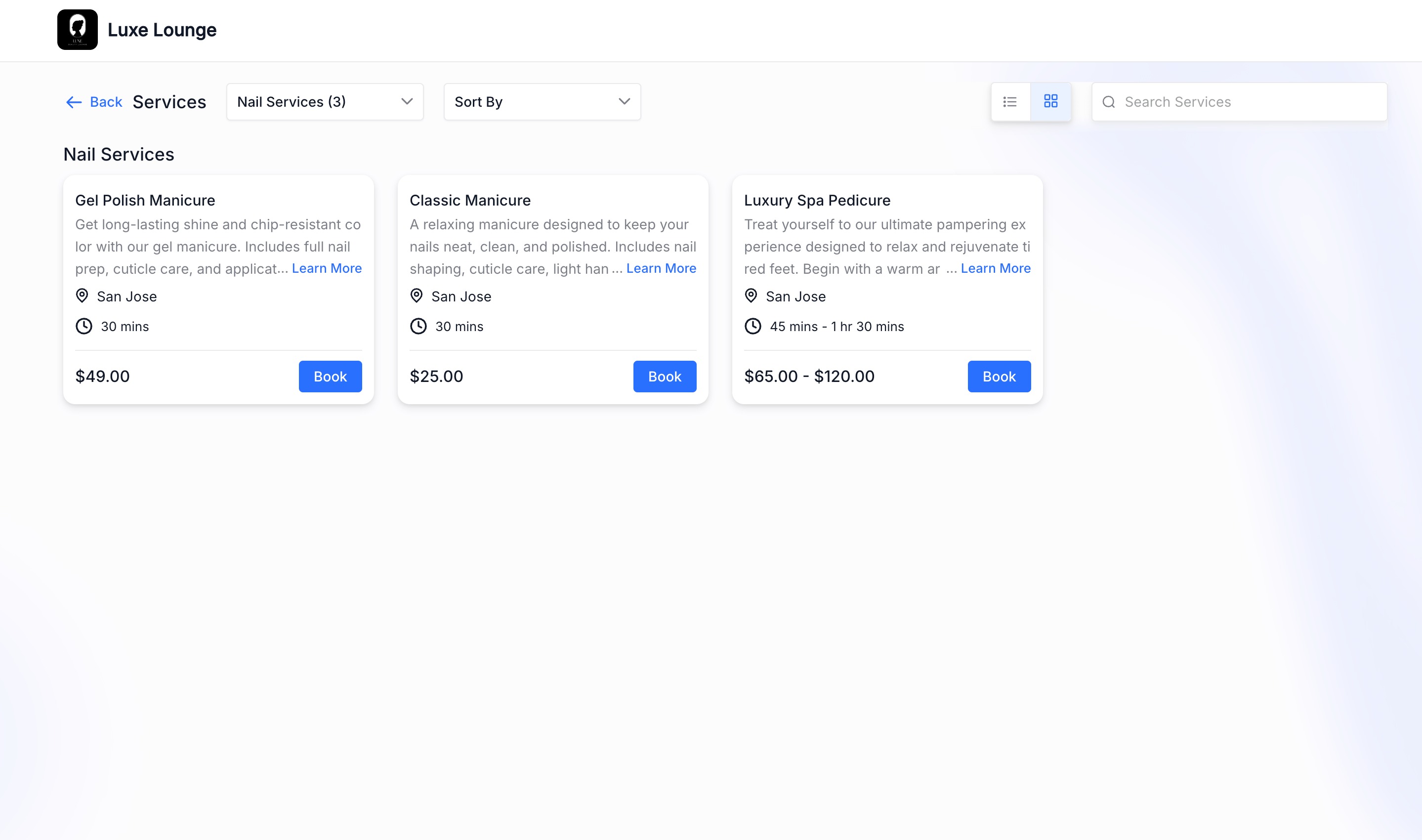
? You can now choose whether to display images or switch to a cleaner, text-focused layout.
---
What’s Included
- A global settingto show or hide service images on the booking page
- When turned off,images arecompletely hidden across the booking flow
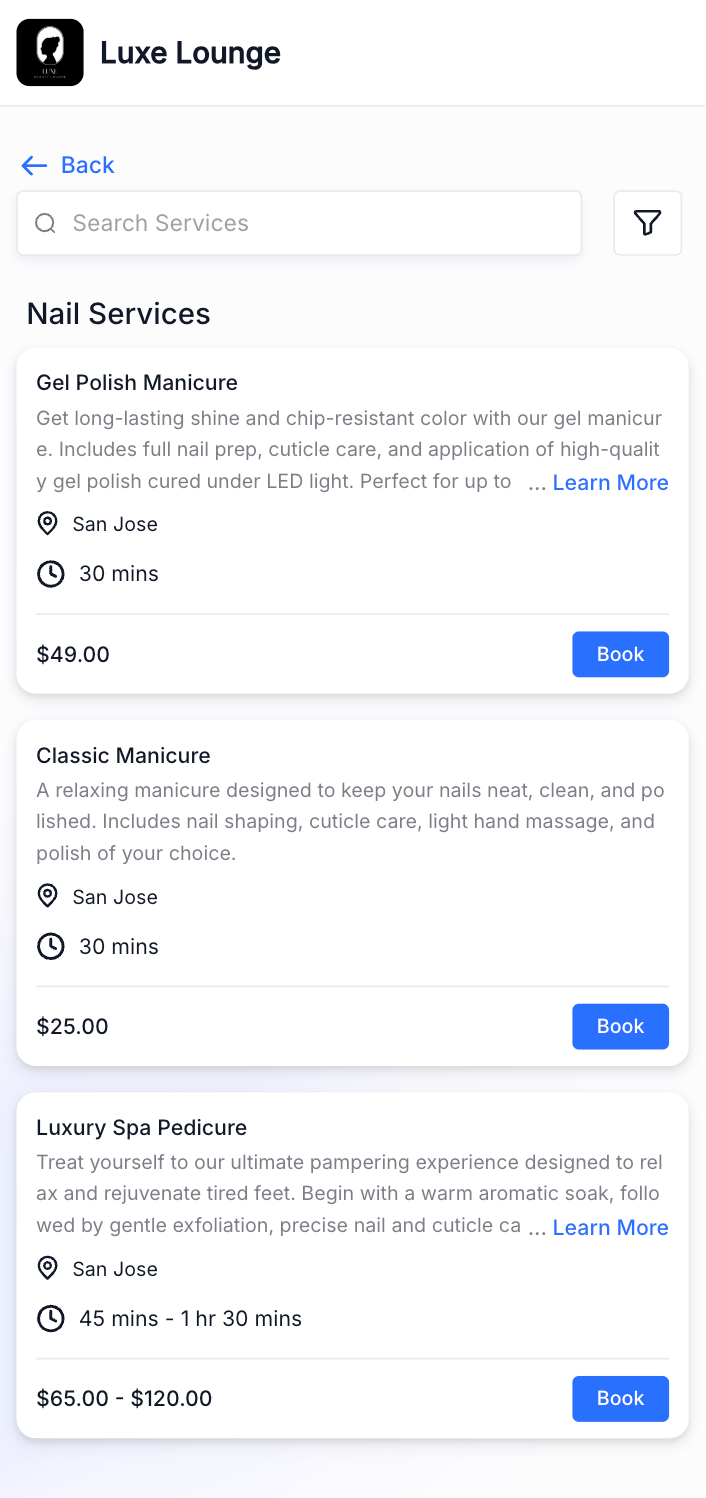
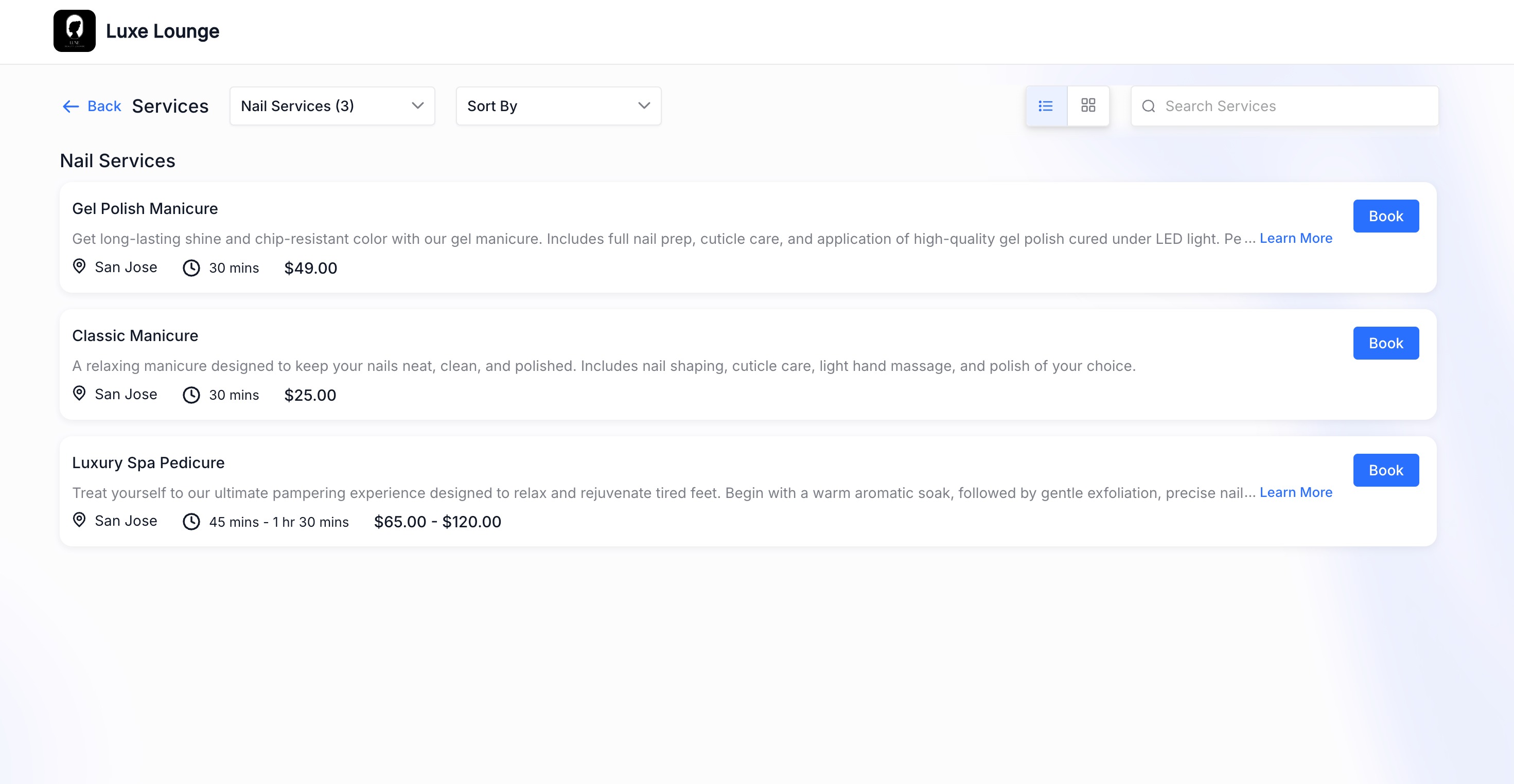
- The layout automatically adjusts to a full-width, text-first view
- Service details like name, description, price, and durationget more space and visibility
- When turned on,the booking page continues to behaveas it does today
- You can continue to use Card or List view layoutsbased on your preference
---
How It Works
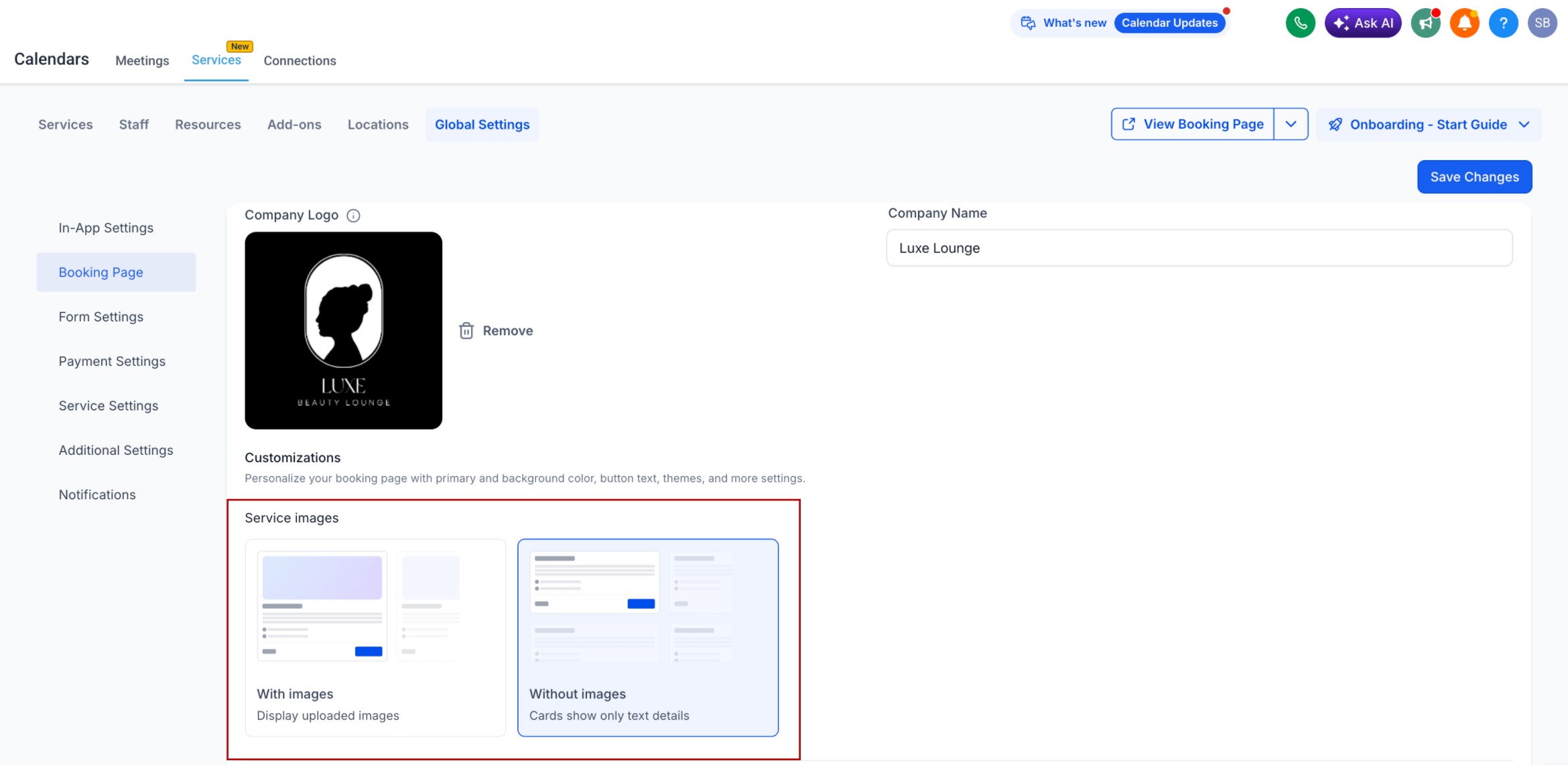
- Go to Services > Global settings > Booking Page
- Select whether you want the booking page with imagesorwithout images
- This setting applies across all services
---
Why This Matters
- Creates a cleaner and more focused booking experience
- Helps customers scan services faster and make decisions easily
- Reduces unused space, especially on mobile devices
- Gives businesses more control over how services are presented
---
This update helps you design a booking experience that best fits your business—whether visual or text-first.
Was this article helpful?
That’s Great!
Thank you for your feedback
Sorry! We couldn't be helpful
Thank you for your feedback
Feedback sent
We appreciate your effort and will try to fix the article